Where Fortune Smiles!

Entertainment You Can Trust.
The Azur Casino App lets you play slots and live casino tables on your phone, and it's easy to get started. With bonuses and fast withdrawals made for mobile devices, players in Canada can deposit C$ and start playing for real money right away. Made with Canadian users in mind who want to enjoy casino games on the go without any problems.
Table of Contents
































The Azur Casino App is made for players who want to carry around the whole casino lobby with them. The screens load quickly, the navigation is easy, and deposits and withdrawals are quick and easy. You can quickly switch between slots and live tables on your phone, and all of your important account functions are just one or two taps away.
The app is designed to make things easy, from logging in and checking your balance to discovering new games and going back to your favorites. If you play while you're out and about in Canada, the mobile setup lets you keep track of your money and play time without a desktop.
It's easy to get started. Just download the game, sign in, add money to your account, and open any game from the lobby. Using the same login information on your phone, you can access your account and see your balance and history.
Keep the app up to date and use a stable connection for better performance, especially when you're in a live casino and the video quality is important. The app usually reconnects quickly when you switch between Wi-Fi and mobile data, so you can keep going without having to start over. Tip: If your device supports it, use biometric login to speed up access and keep your account safe. This is especially important when you make quick deposits like C$25 or cash out winnings like C$200.
Welcome Bonus
The offer is valid:
With the same account you use on your computer, you can play slots, live casino games, and table games while you're on the go. It's designed to work well with touch controls, make navigation quick, and keep the game stable, so you can deposit, play, and withdraw without having to switch devices. The app is quick and easy to set up on both iOS and Android. It is important to only download from the official site to get the most up-to-date version, a safe login, and full access to all banking features.
For iOS (iPhone and iPad), go to the Azur Casino website in Safari, log in or make an account, and then tap the install button if it shows up. Click "Confirm Download" and finish the installation if you are taken to the official store page. Once it's installed, only allow notifications if you want to be notified of new deals or payments.
In Chrome, go to the Azur Casino website, tap the Android download button, and confirm that you want to download the file. Please allow app installs from your browser for this one task only if your device doesn't let you. Once the installation is done, please disable this permission for safety reasons. You can only get the download from the Azur Casino website. The same balance and game history will be synced automatically if you use the same login. If you want to avoid problems with payments or logging in, make sure the app is always up to date after you install it.
You can still play through the mobile website in your browser if you don't want to install anything. The app, on the other hand, usually opens faster and is easier to use again and again, especially when you want to deposit C$100 and start playing right away.
Wicked Circus
141C$
Choy Sun Doa
442C$
Fruit Bonanza
408C$
Book Of Aztec Select
89C$
European Roulette (Belatra Games)
356C$
Tiki Madness 100
409C$
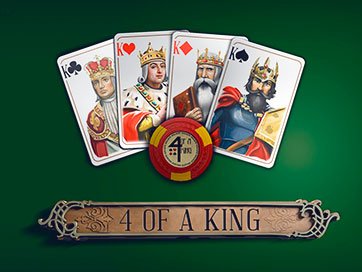
4 Of A King
322C$
Four Lucky Diamonds
262C$
Clash Of Queens
460C$
Druidess Gold
93C$
Asian Beauty
196C$
Mayan Princess
420C$
This is because the app usually gives new players a package to help them enjoy their first few sessions. Most bonuses depend on the amount of money you deposit at first. They can be a matched bonus, free spins, or a mix of the two. This way, you can play slots with extra money right away.
Make sure you don't need a promo code before you claim anything by checking the bonus box in the cashier or the promotions area. The app will usually only show you deals that are valid where you are, so you don't waste time activating deals you can't use. When you make your first deposit, that's the fastest way to get the welcome offer in the app. In most cases, the deposit window will have a promo code field and a toggle or selector for the welcome package.
When you make an account at Azur Casino, make sure your email address or phone number is correct If asked. Choose a way to pay by opening the cashier. You can choose the welcome bonus or not if you'd rather play without any rules. If the coupon code is available, enter it exactly as shown and click "apply." Put down at least C$10 as a first deposit, then you can play games that are eligible. You should check which slots the free spins are good for and whether they come right away or after the deposit is confirmed if you want them. When looking at a welcome bonus, you should usually check the wagering requirements, the maximum bet limits while wagering, the game contribution, and the time limit to meet the requirements.
These details are usually on the bonus card inside the app. They are just as important as the headline value of "bonus up to C$200" because they tell you how quickly you can turn bonus funds into winnings that you can cash out. It's usually between C$10 and C$20 for the first deposit. The wagering requirement is usually put on bonus money, but it can also be put on free spins winnings. As soon as the promotion starts, there is a limited time to meet the wagering requirements. Maximum bet rule: a maximum bet per spin or round while the bet is still being made. When you use a promo code, you can get extra bonuses like free spins, an extra match, or a higher first deposit limit.
People usually can't use a code because it's expired, only works for a certain Canadian or Canada group, or needs a bigger deposit of C$20 or C$50 to qualify. Take away the code and choose the default welcome option in the cashier when that happens. Before you claim a match bonus (for example, a bonus up to C$200), make sure you know the minimum deposit, wagering requirements, maximum bet, and games that count. For free spins (for example, 50 spins), make sure you know the eligible slot, spin value, wagering requirements for winnings, expiration date, promo code boost code validity, regional eligibility, and required deposit like C$20. If you want to get your money faster, deposit only what you can comfortably wager through and don't use multiple bonuses at once.
It's usually easier to make a clean first deposit like C$20 with just one welcome offer than to activate extra add-ons that come with extra rules.
Claim Your Welcome Bonus
Join Azur Casino App today and unlock exclusive bonuses, fast mobile play, and real money wins on slots and live casino games.
Only takes a few minutes and gives you full access to the casino lobby, as well as the ability to deposit and withdraw money and receive personalized offers. So you can start playing as soon as you confirm your information, the app's registration process is very clean. Azur asks users to prove who they are so that their accounts are safe and paychecks go smoothly. When you ask for your first withdrawal, whether it's C$100 or C$1000, going through verification early can help you avoid delays.
Sign Up Bonus
Get up to C$200 + Free Spins
To sign up, open the app, tap "Register," and then enter the required information. For example, make sure that your full name, date of birth, and address are the same as they are on your official documents. When you sign up, always use the exact same personal information that is on your ID, even if you are from a different Canada or are Canadian. Pick your login information and confirm your email or phone number if asked. This will create your account. To avoid problems during checks, make sure that the information you put in your profile is correct. Check your contact information; use the verification code that was sent to your phone or email.
Using the app, you can upload proof of identity documents like clear photos or scans. You will be able to see the status in your account once the check is done. Azur usually asks for standard Know Your Customer (KYC) documents. What they ask for depends on how you use your account and the rules in your country. All four corners of the document should be shown in sharp, color images.
To pass verification faster, don't crop, don't cover any details with your fingers, and make sure your profile information matches the documents exactly. If the app doesn't accept a file, try uploading a clearer picture and making sure the document is still valid. Once you've been verified, you can deposit and withdraw money with fewer problems. Your account is also constantly checked for security. You should quickly update your profile if your address or phone number changes so that future withdrawals like C$500 go through without any delays.
The Azur Casino App makes it easy and quick to deposit money, and you can use a number of different payment methods depending on where you are and how you set up your banking. Adding money to your account usually only takes a few taps, and the app makes it clear what the minimum amount is before you confirm the payment.
To keep things simple, always look at the deposit screen to see the exact limits and any rules that are unique to your method. As a general rule, most players can start with a deposit of 10 C$. However, for some bank-based methods, the minimum deposit amount may be higher. Deposit methods accepted, minimum amounts, and fees that might apply: The app may offer different methods for each user, but the most common ones are bank cards, bank transfers, and some e-wallets or mobile payment options. Fees often depend on the method used. For some methods, Azur Casino may cover the fee, but for others, the payment provider may charge a processing fee. The minimum deposit amount and fees vary by deposit method, payment provider, and country.
Prior to completing the deposit in the app, the total amount is always shown. Choose payment methods that show a fee of 0 C$ at checkout, and think about depositing a large amount all at once, like 50 C$, instead of several small deposits, like 5 deposits of 10 C$. This is because provider fees can add up over time. Minimum deposit: usually 10 C$ Fees: can be anywhere from 0 C$ to 20 C$ depending on the method and provider Best practice: make sure you agree to the full amount before confirming the deposit.
Max Win
63300 C$
The time it takes to get your money from the Azur app depends on two things: how quickly your payout request is approved and how long it takes for your chosen payment method to deliver the funds. Going through KYC before your first 100 C$ withdrawal request will usually save you the most time. Once your profile is verified, future cashouts will usually go faster. From "Requested" to "Approved" to "Paid," the app keeps track of each step. If you haven't received your payout yet, it's likely because the system needs to double-check your documents, make sure you own the payment method, or look over your recent deposits and play history.
Payout times and what affects speed Azur processes withdrawals after internal approval. That approval can happen almost instantly for requests with low risk, but it may take longer if the app notices that the details don't match or there is strange activity. An initial request to withdraw 200 C$ may need to go through Know Your Customer (KYC), but a later request from the same verified account is usually processed faster. Type of account (verified or unverified accounts can be held until KYC is completed) is one of the most common things that affects the speed of payouts. Different payment methods send money more quickly than others after being approved. The name and personal information you put into your account must match the payment profile you used to deposit at least C$50. Security checks: Withdrawing a lot of money, like C$1,000, can lead to an extra safety check. To avoid delays, make sure your app is always up-to-date and that your payment method is active and can receive payouts. Also, send requests during normal business hours in your area.
Usually, you ask the cashier to withdraw C$300, confirming the details, waiting for approval, and then the payment provider finishes the transfer. It may take longer for the final delivery to happen even after Azur marks it as paid if your bank or wallet needs extra confirmation. Proof of identity, account security, and avoiding fraud are all things that are used in Know Your Customer (KYC) documents and requirements. Before your first payout or when your total withdrawals go up, the Azur app will usually ask for verification. It is smart to finish KYC ahead of time if you plan to withdraw 500 C$ or more, so your first cashout doesn't get held up.
The identity document is a clear photocopy of a government-issued ID that shows your full name and date of birth. As proof of address, you need a recent document with your address on it, like a utility bill. Proof of payment method: proof that the method you used to deposit C$50 is yours (requirements vary by method). Complete your personal information exactly as it appears on your documents. Making sure your app profile has the correct address for where you live is important if you are playing from a different country or if your nationality is different from where you live. Address errors are a common reason why payouts are held. Useful tips to get through KYC faster: upload clear, uncropped pictures, stay away from glare, make sure all corners can be seen, and make sure your documents are real.
Instead of uploading the same photo again if the app asks you to, replace the file. Following the Know Your Customer (KYC) process, future withdrawals like "withdraw 100 C$" or "withdraw 1,000 C$" usually need fewer checks, unless your account, payment method, or security profile changes.
Before you claim any Azur Casino App promotion, read the bonus terms on the offer card and on the page dedicated to bonus terms. How many times you have to wager the bonus or bonus plus deposit, what games count toward wagering, and how long you have to finish the playthrough are the main things that stay the same.
Checking the maximum cashout amount for a bonus is also important. You might only be able to cash out up to a set amount, like C$500, in a capped promotion, even if you win more. Why? Because that's how the rules work. Your wagering requirement is the number of times you have to make bets that count toward clearing the bonus. Your cashout cap is the most money you can usually withdraw. If you get a C$100 bonus that needs to be wagered 35 times, you have to make C$3500 in eligible bets before you can cash out the bonus. To make sure you know which base is used, check each offer that says wagering is only on the bonus or on both the bonus and the deposit.
When you win money with a certain bonus, the max cashout limit tells you how much you can cash out. A promotion might say something like, "max cashout C$300." So, even if your balance gets to C$900 after meeting the wagering requirements, the rules of that promotion say that you may only be able to withdraw C$300. These are some of the most common rules that can affect your eligibility and ability to withdraw your winnings. Time limit to finish wagering—many bonuses need to be cleared within a certain amount of time, like 7 days. Bonus money that hasn't been wagered may expire after that. Slots usually count for 100%, but some table games may only count for a smaller amount or not at all.
When wagering, the most you can bet. If you bet more than C$5 per spin or hand, your bonus winnings may be canceled. There are some games that can't be wagered or played for bonus money. These games may have a high volatility or low house edge. Withdrawals before completion—Depending on the offer, cashing out early can cancel the bonus and take away any winnings that came with it. For smooth withdrawals, it's best to plan your play: pick games that are eligible, keep your bets under the maximum amount allowed, and keep track of your progress until the wagering meter reads "completion." If the bonus comes with a cashout limit, think of it as part of the value of the offer. For example, a C$50 bonus with a C$100 cashout limit might be best for short sessions instead of long grinding sessions.
If you are from Canada, make sure that your account information matches who you are and how you pay. Any mistake during payout checks can cause withdrawals to be held up, and in some cases, promotional winnings may not be given out until all the checks are done. With the Azur Casino App, you can enjoy casino-style games like slots, live dealer tables, and promotional campaigns all from your phone. Different countries and devices may have different bonus terms, payment methods, and availability, so users should check the app's local rules and conditions before they play. Slots, roulette, blackjack, and other popular games are in the game library.
One type of casino is a live casino, which has tables that are always open and can be controlled by the player. Deposit bonuses, free spins, cashback, and special deals for certain times of the year are all examples of bonuses. Payments: You can deposit and withdraw money using supported credit cards, e-wallets, or bank accounts. Tools for managing your account, such as a history of your transactions and a verification flow. Download: Get the app from the official app store for your device and install it. Sign up: Make an account and confirm the information asked for. Verify: If asked to, verify your identity to allow withdrawals. Deposit: Pick a payment method that works and decide how much you want to spend. Play: Pick games, turn on promotions, and keep track of wagering requirements.
 02.08.2026
19:40
02.08.2026
19:40
 02.08.2026
09:30
02.08.2026
08:30
02.08.2026
13:00
02.08.2026
23:20
02.08.2026
20:10
02.08.2026
08:20
02.08.2026
16:00
02.08.2026
09:30
02.08.2026
08:30
02.08.2026
13:00
02.08.2026
23:20
02.08.2026
20:10
02.08.2026
08:20
02.08.2026
16:00
 02.08.2026
10:40
02.08.2026
10:40

Bonus
for first deposit
1000C$ + 250 FS